|
Home / Show Results / Result Field / Boundary Condition
Boundary Condition
On the [Results] tab,

press [Show result (other)] , and click [Boundary Condition]
  on the submenu. The boundary conditions set on the model will be displayed.
|
|
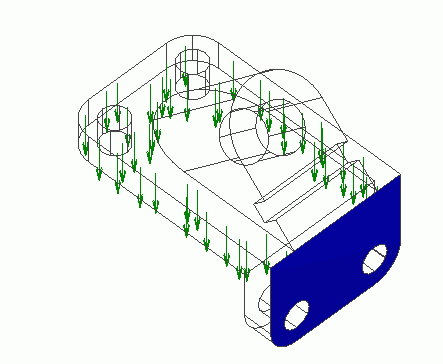
The figure on the left is an example of the boundary conditions for stress analysis. The arrows indicate the boundary condition for the pressure and the blue face indicates the fixed boundary condition. |
Display Setting
|
|
Color of Boundary ConditionsTo change the color of boundary conditions, go to and click the [File] tab
|
|
|
Vector LengthSome boundary conditions (e.g. the pressure and the load) are directional. They are represented by vectors.
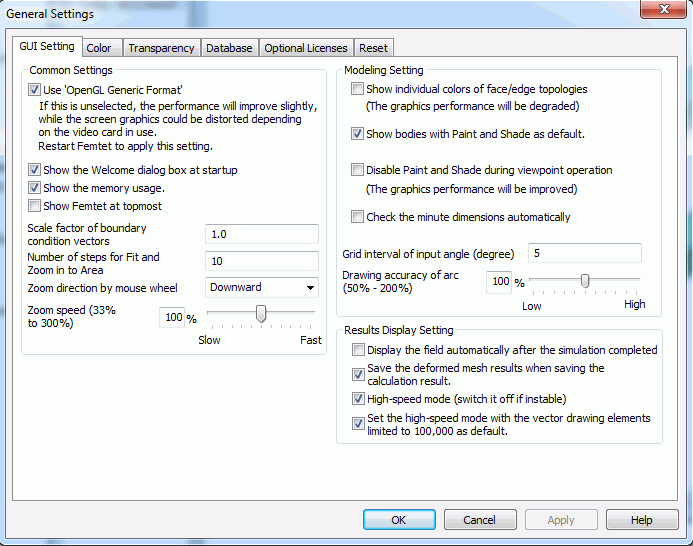
To change the vector length, go to the [GUI Setting] tab, and specify the ratio at Boundary Condition Vector Ratio. |
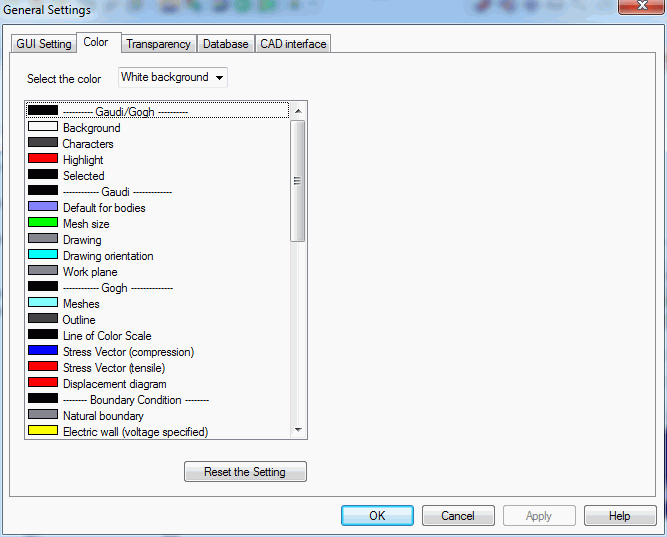

 , and go to the