


|
Home / Show Results / Result Field / Mesh Diagram
Mesh Diagram
On the [Results] tab, go to

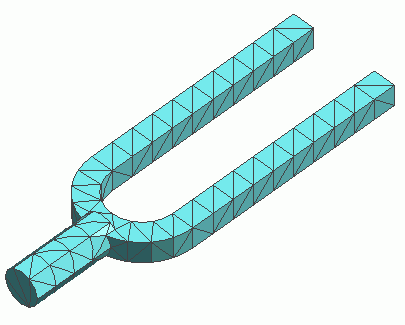
click [Mesh]  . The mesh diagram will appear.
|
|
The model will be divided into triangles for 2D and tetrahedrons for 3D.
|
Display Setting
|
|
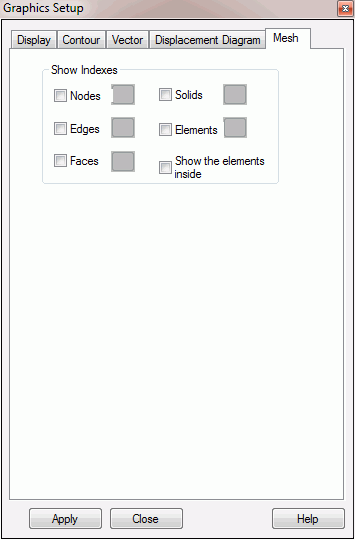
Click [Graphics Setup] and the resulting field is displayed.
[Mesh] tab is for the setting of mesh display.
The index numbers of the items selected at Index Indication will show up on the mesh diagram.
The coordinates can be registered, or deleted. The registered coordinates can be used to display the field values at a particular location or a cross section.
|
 . The dialog to set up the graphics will show up.