|
Home / Technical Notes / Acoustic Analysis / Analysis Region Setting
Analysis Domain Setting
Create body for ambient air
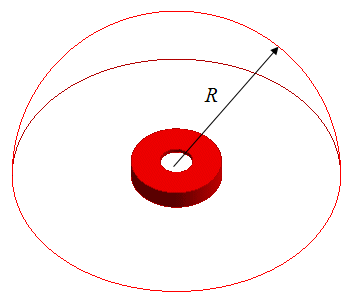
Create a hemispheric body for ambient air. It is centered at the sound source and the radius is R
R must be larger than one fifth the wavelength.
This is the requirement for the open boundary.
If the analysis frequency is 3kHz or higher,
the wavelength is 0.113 [m] (= speed of sound / frequency = 340/3000). R has to be larger than 0.023 [m] (= 0.113/5). Suppose we set R to 20 [mm].
The message below would appear since the frequency is lower than 3kHz and R is less than one fifth the wavelength.
Ignore it for now.
** Warning ** Distance between the wave source and the open boundary is too short. Separate them at least 0.2 wavelength (6.800000e-002).
Set the Open Boundary
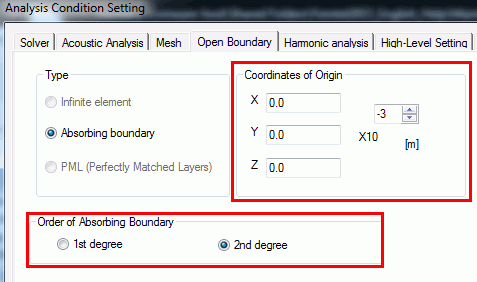
Set the origin of the open boundary at the center of the ambient air body.
The default setting of 2nd-order absorbing boundary is applied.
Remove the Sound Source
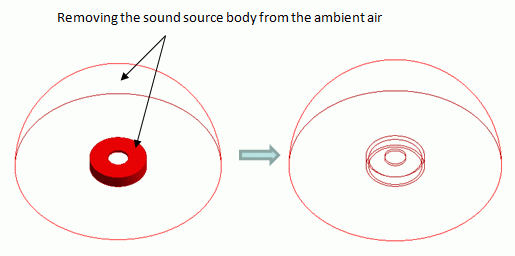
By using the boolean subtract,
remove the sound source body from the ambient air because the analysis space consists of only ambient air.