|
Home / How to Set Body Attribute, Material Property and Boundary Condition / Material Property Tabs / Thermal Conductivity Tab
Thermal Conductivity Tab
The material's thermal conductivity is set on this tab.
It is in the [Edit Material Property] dialog box. See [How to Set Body Attribute/Material Property].
|
Setting Item |
Notes |
|
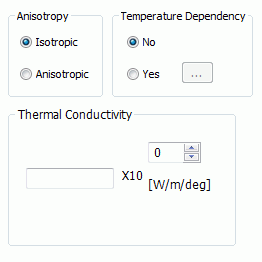
Anisotropy |
Specifies either Isotropic or Anisotropic. |
|
Temperature Dependency |
Sets either No or Yes. If Yes is set, when clicking [Temperature-Anisotropic Thermal Conductivity] Table (anisotropic) will show up. Enter the data here.
Click the Graph button to see the graph of entered data. At least two data for [Temperature] and [Thermal conductivity] respectively are required to draw a graph.
|
|
Thermal Conductivity |
Enterable when Temperature dependency is No and Anisotropy is Isotropic.
The significand is a real number greater than 0.
|
|
Thermal Conductivity Matrix |
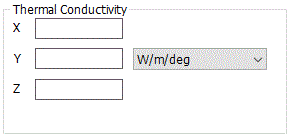
Enterable when Temperature dependency is No and Anisotropy is anisotropic.
A real number equal to or greater than 0 is enterable for X, Y, and Z. Entering 0 is not allowed for X, Y, and Z. Direction of the anisotropic material depends on the setting on the [Direction] tab of body attribute. With the default setting on the Direction tab, (x, y, z) in the above figure matches with (X, Y, Z) of the modeling window.
|
 ,
,