|
Home / How to Set Body Attribute, Material Property and Boundary Condition / Material Property Tabs / Permittivity Tab
Permittivity Tab
The material's relative permeability is set on this tab.
It is in the [Edit Material Property] dialog box. See [How to Set Body Attribute/Material Property].
The isotropic or anisotropic materials can be set up here.
The anisotropic material will have the anisotropy set on the Directivity tab.
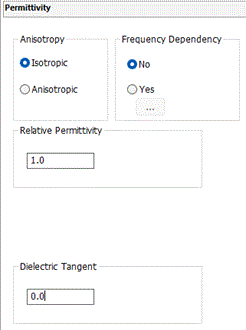
|
Setting Item |
Notes |
|
Anisotropy |
Selects either Isotropic or Anisotropic. |
|
Frequency Dependency |
Available only for the electromagnetic-harmonic analysis. Selects either Yes or No.
|
|
Temperature Dependency |
Available only for the electromagnetic-harmonic analysis. Select either Yes or No. |
|
Nonlinearity |
Selectable only in the electric analysis.
Sets Linear if the permittivity is constant regardless of the intensity of the electric field.
Sets Nonlinear if the permittivity is dependent on the intensity of the electric field.
|
|
Relative Permittivity |
Available only if Isotropic is selected for Anisotorpy, and Linear is selected for Nonlinearity. |
|
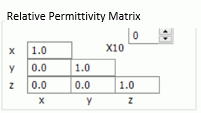
Relative Permittivity Matrix |
The matrix will show up when Anisotropic is selected.
|
|
Dielectric Tangent |
Available for the isotropic material in the electromagnetic analysis. and the electric field harmonic analysis. See Complex Permittivity.
|
 ,
,