|
Home / Simulation Accuracy Setting (Mesh/Element) / Meshing Setup / Sweep Mesh and Free Mesh
Sweep Mesh and Free Mesh
Free mesh and sweep mesh are available for meshing. Mapped meshes are created by sweep mesh.
Sweep mesh can create hexahedral elements and free mesh can create both tetrahedral elements and hexahedral elements.
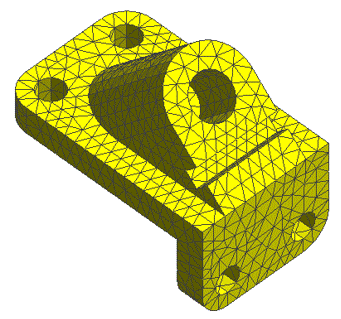
Tetrahedral Free Mesh
Generally used meshing method, which features fast meshing of complicated shapes.
Default setting is tetrahedral free mesh.
Hexahedral Free Mesh
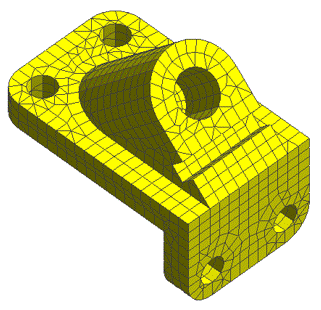
Hexahedral elements are preferred especially in the nonlinear stress analysis for shorter computation time and higher computation accuracy.
Hexahedral free mesh can create hexahedral elements on a specific shape. Tetrahedral elements are generally included. To connect the tetrahedral elements to hexahedral elements, pyramid and triangular prism elements are created and in a mix with other elements.
A complicated shape, unfortunately, will degrade the quality of elements and create distorted elements.
Sweep Mesh
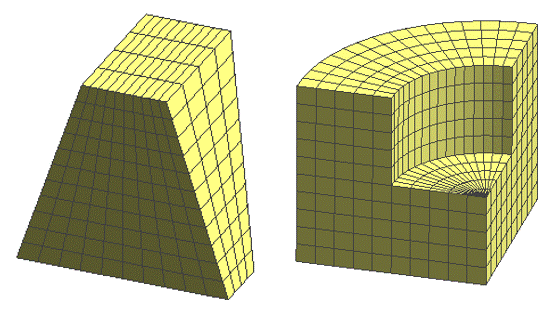
Sweep mesh divides a face into tetrahedral elements and sweeps the face in parallel or rotationally to create hexahedral elements.
Sweep mesh can create well-shaped hexahedral elements, but is applicable only for shapes that can sweep.
How to Create Sweep Mesh
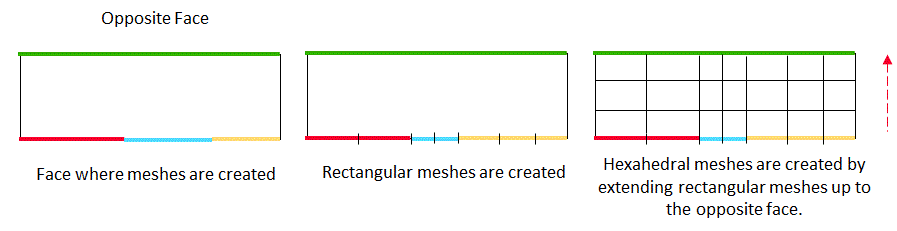
Sweep Mesh creates rectangular meshes on one face and extend them up to the opposite face, creating hexahedral meshes.
The face on which rectangular meshes are created may include multiple faces, but the opposite face must be one face.
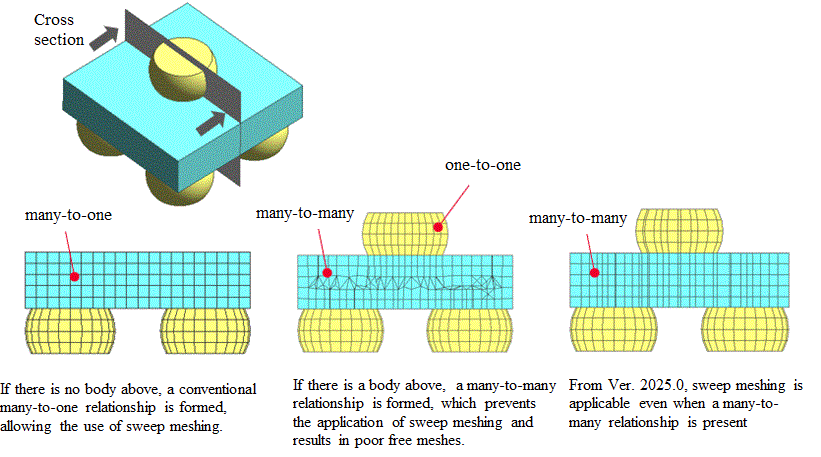
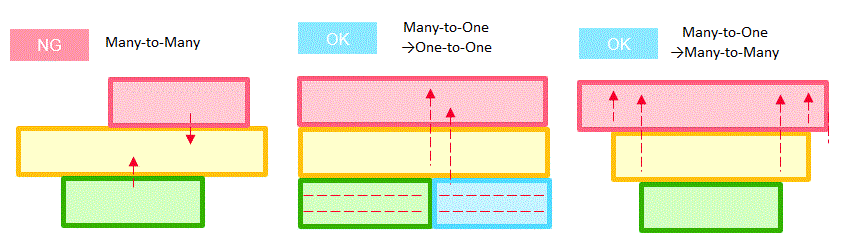
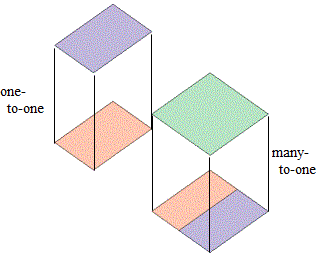
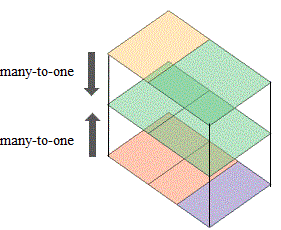
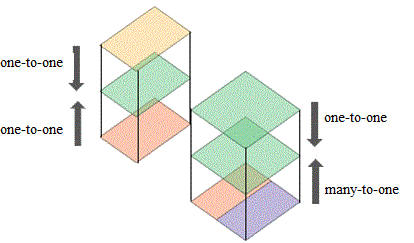
The one face and the opposite face have a many-to-one relationship. This relationship is a key point to sweep meshing.
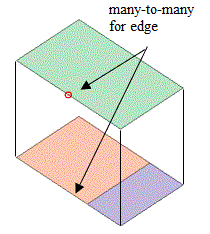
The left figure illustrates many- to-many relationship on the yellow body and then sweep mesh is not applicable. The center and right figures illustrate many-to-one relationship and then sweep meshing is applicable.
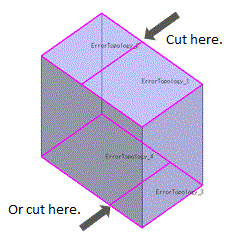
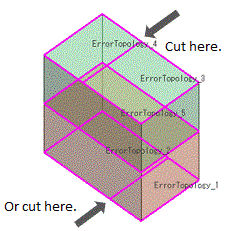
How to modify the body that is not applicable for sweep mesh in E2317.
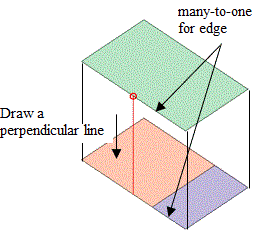
The model can be modified as follows.
To draw a perpendicular line easily, deselect [Sketch Along the Grid] in the [Set up Grid] dialog box.
|
Error Message |
Body not Supported by Sweep Mesh. |
Error Location |
Modified Bodies |
| Opposite faces have a many-to-many relationship. The bottom face and its opposite face are highlighted. |
|
|
|
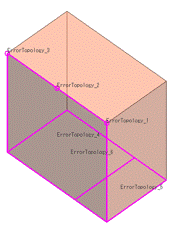
| The opposite edges on a side face have a many-to-many relationship. The side face and vertices on the opposite edges are highlighted. |
|
|
|
| The two sweep bodies each have a face and its opposite face with a many-to-one relationship. The opposite faces are shared. The faces and the shared opposite face are highlighted. |
|
|
|
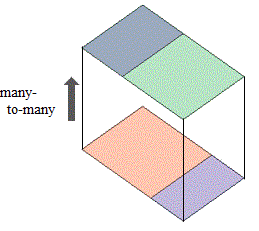
Sweep Mesh Expanded to Many-to-Many
Sweep meshing has been supported for many-to-many models since Ver. 2025.0. When error E2317 occurs, use this option to apply sweep meshing to many-to-many models.
To activate this option, select[Expand to many-to-many] in the [High-Level Setting for Meshing] dialog box