


|
Home / How to Set Body Attribute, Material Property and Boundary Condition / Outer Boundary Condition
Outer Boundary Condition
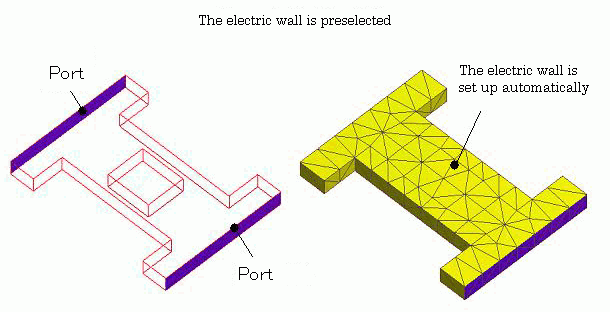
It is common to have electric wall or conductor wall as outer boundary condition in electromagnetic analysis. Heat transfer:convection boundary and ambient radiation are also common when a solid in the air is analyzed.
It is troublesome to set them each time.
Therefore, the most common condition is preset to each analysis by default. It can be easily changed if necessary.
It is not allowed to set the outer boundary condition on the outer boundary once the boundary condition is set on it.
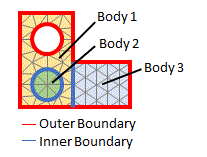
Definition of Outer Boundary
There are two types of boundaries: outer and inner boundaries. The outer boundary is the area on which just a body is bound. The inner boundary is the area where two bodies meet.
The default settings of the outer boundary condition
The default settings for each analysis are listed below.
|
Analysis |
Boundary Condition |
|
Electric Analysis |
Magnetic wall |
|
Magnetic Analysis |
Electric wall |
|
Thermal Analysis |
Adiabatic |
|
Stress Analysis |
Free |
|
Electromagnetic Analysis |
Electric wall |
|
Piezoelectric Analysis |
Magnetic wall / Free |
|
Acoustic Analysis |
Rigid wall |
|
Fluid Analysis |
Solid wall |
|
Simple Fluid Analysis |
Wall face |
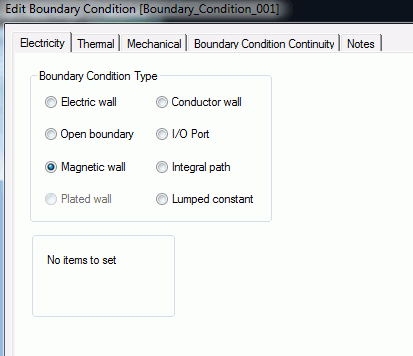
How to Change the Outer Boundary Condition
From Menu
|
|
|
|

 .
.
From Project Tree
|
|
|
|
