


|
Home / User Interface / General settings / Transparency
Transparency
|
Items |
Notes |
|
List |
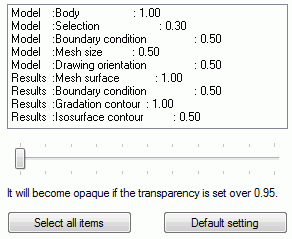
The items to set the transparency are listed. Multiple items can be selected with the <Shift> key or the <Ctrl> key.
The sliding bar at the bottom adjusts the transparency. The minimum value is 0.0 and the maximum value is 1.0. The transparency is higher with the smaller value.
Note: It is considered opaque if the value is more than 0.95. |
|
Select all items |
Selects all the items on the list. |
|
Default Setting |
Initializes the setting of transparency for the selected items. |