Femtet Help/Manual
 

Home / Modeling / Black Box DB / How to Edit Black Box DB

How to Edit Black Box DB

Follow the procedure below.

- Deleting or renaming model data in black box DB

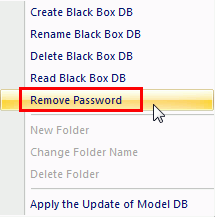
  1. Remove the password as explained in [Black Box DB] > Remove Password.

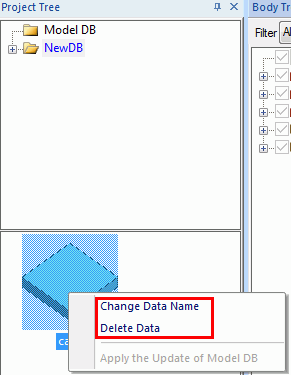
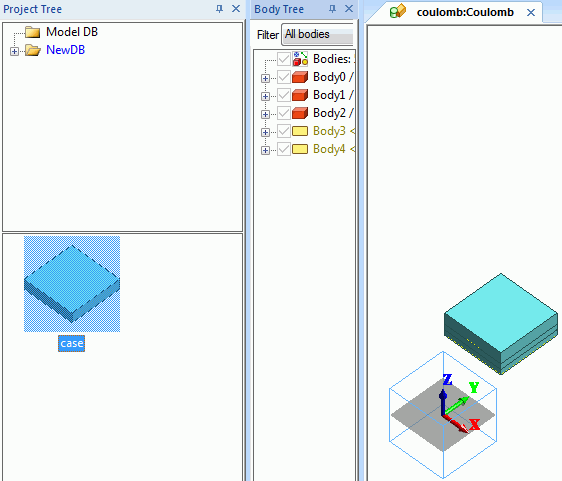
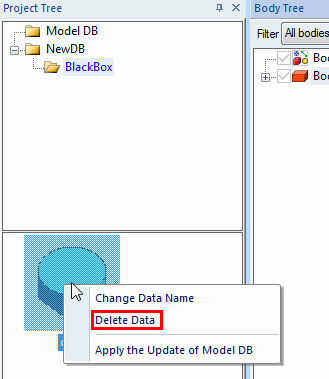
  1. Model DB tree > Select the model data to delete or rename >
    Right click on it > Click [Delete Data] or [Rename Data].

- Editing model data in black box DB

  1. Remove the password as explained in [Black Box DB] > Remove Password.

  1. Drag and drop the substitute or analysis model on to the modeling window.

  1. Edit the imported model.
    To edit the attribute data, double click on the target attribute and edit.

  1. Once editing is done, delete the original model on Model DB tree.

  • This process is applicable for the attribute data change as well.

  1. Select the edited model. Go to on the [Model] tab. Click [Register in Model DB] .

  • This process is applicable for the attribute data change as well.