


|
Home / Modeling / Auxiliary Tools / Cross Section
Cross Section
On the [Model] tab,
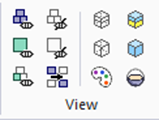
click [Cross Section] . The dialog box to set the cross section will show up.
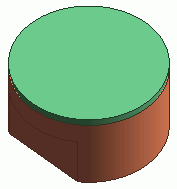
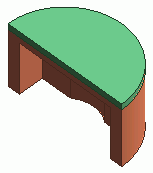
Cut solid body and sheet body with a specified plane, and display.
The cross section is displayed only when the dialog box to set the cross section is activated.
The display of the model returns to the normal mode if the dialog box is closed.
 |
 |
 |
Operations
The dialog box has two options for operation mode: [Simple] and [Detailed].
Simple mode is limited to XY, YZ, and ZX planes for easy operation.
Detailed mode can display user-defined cross section by specifying a point and a normal vector on the cutting plane.
Simple Mode |
|
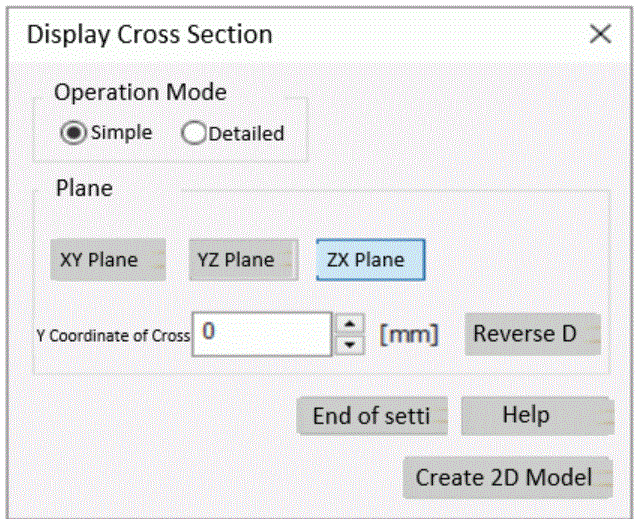 |
XY, YZ, or ZX planeSet the cutting plane on XY, YZ, or ZX plane. Cutting plane X, Y, or Z coordinateSet the location of the cutting plane. Coordinates of the center of the model are set by default. Reverse DirectionReverse the direction of normal line of the cross section. The form on the normal side of the cutting plane is retained after cutting. If the normal line is reversed, the form of the retained side is changed. End of settingClose the dialog box to end the display of the cross section. Create 2D ModelUse the cross section currently in display to enter the data in the dialog box. |
Detailed Mode |
|
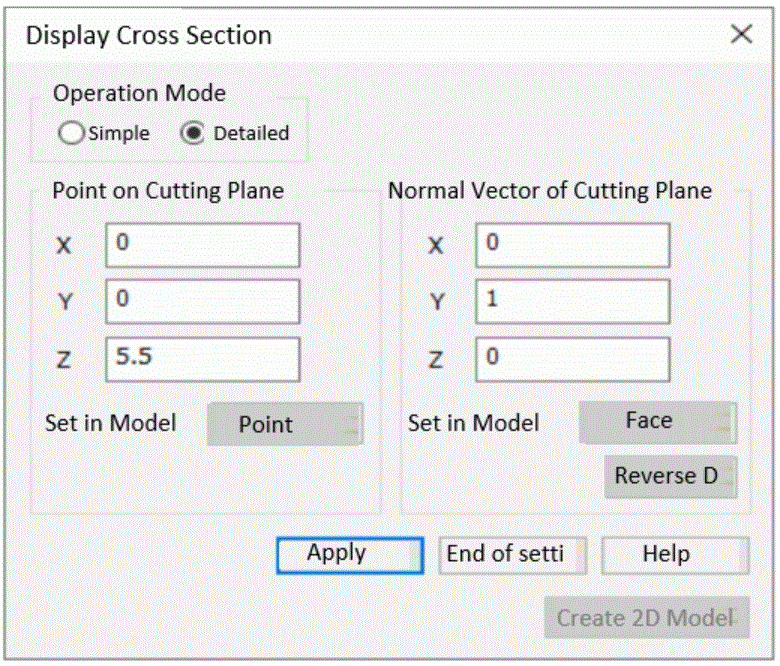 |
Point on Cutting PlaneEnter the X, Y, and Z coordinates of the point on the cutting plane. The point can be can be specified by clicking on the model as well. Normal Vector of Cutting PlaneEnter the X, Y, and Z components of the normal vector of the cutting plane. Normal vector of the cutting plane can be specified by clicking on the model as well. PointThe mouse is to pick up points on the model for entering points of the cross section. FaceThe mouse is to pick up faces on the model for entering normal vectors of the cross section. Reverse DirectionReverse the direction of normal line of the cross section. The form on the normal side of the cutting plane is retained after cutting. If the normal line is reversed, the form of the retained side is changed. Apply/RestartIf [Apply] is pressed, the cross section is shown with the current setting. If the cross section is shown, the button name is changed to [Restart]. If [Restart] is pressed, the display is changed back to the normal mode and the dialog box can be entered. End of settingClose the dialog box to end the display of the cross section. Create 2D ModelUse the cross section currently in display to enter the data in the dialog box. |