


|
Home / Parametric Analysis / Sweep setting
Sweep Setting
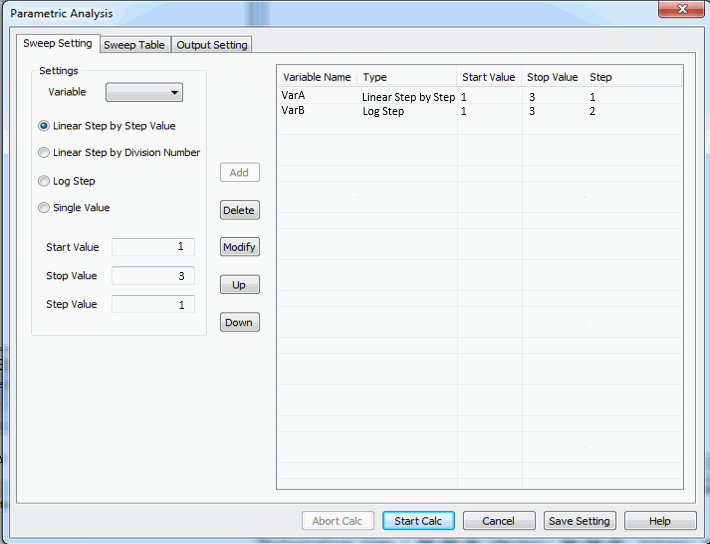
The sweeping conditions for the variables are set on this tab.
It is a part of [Parametric Analysis] dialog box.
On the [Model] tab  ,
,
click ▼ at the bottom of [Run Mesher/Solver]  and click [Execute Parametric Analysis]
  .
.
See [Parametric Analysis] for the overview.
See "How to Proceed with the Parametric Analysis" for the procedure.
|
Setting Items |
Notes |
|
Settings |
Variable Allows you to select the variable to sweep.
Sweep type
|
|
Add |
Adds the variable and the conditions in the Settings to the list. |
|
Delete |
Deletes the specified variable and conditions in the list. |
|
Modify |
Replaces the existing conditions with those that are set in the Settings. |
|
Up |
Changes the listing order of the variable and the conditions. |
|
Down |
Changes the listing order of the variable and the conditions. |