


|
Home / Parametric Analysis / Sweep Table
Sweep Table
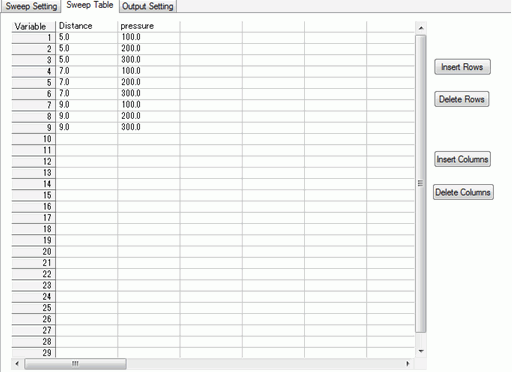
The sweeping conditions for the variables can be confirmed on this tab.
The conditions can be edited, added or deleted.
It is a part of [Parametric Analysis] dialog box.
On the [Model] tab  ,
,
click ▼ at the bottom of [Run Mesher/Solver]  and click [Execute Parametric Analysis]
  .
.
See [Parametric Analysis] for the overview.
See [How to Proceed with the Parametric Analysis] for the procedure.
-
The contents of Excel file can be copies and pasted to the table.
|
Setting Item |
Notes |
|
Insert Rows |
Inserts the rows at the specified location in the table. |
|
Delete Rows |
Deletes the specified rows from the table. |
|
Insert Columns |
Inserts the columns at the specified location in the table. |
|
Delete Columns |
Deletes the specified columns from the table. |