


|
Home / How to Set Analysis Condition / List of Analysis Condition Tabs / Analysis Space Setting
Analysis Space Setting
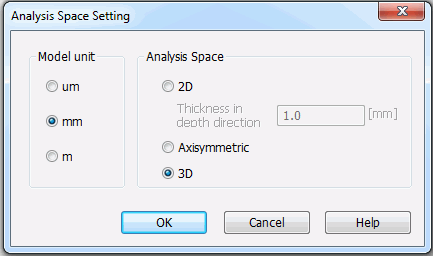
Analysis Space is defined in this dialog box.
|
Items |
Notes |
|
Model unit |
Selectable from μm, mm, and m. The unit selected here will be applied for the modeling.
See the [Drawable Range] for the detail.
|
|
Analysis Space |
2D Selectable if the 2D approximation is possible. The model should be created on the XZ plane.
Thickness in the 2nd direction Sets the thickness in the Y direction in the 2D analysis. The detail is explained at Thickness of Sheet Body in 2D Analysis. The thickness can be set for each body on the [Thickness/Width] tab.
Axisymmetric Analyzes the axisymmetric model. The model should be created on XZ plane with Z axis set as the symmetric axis.
3D Analyzes the 3D model. Compared to the 2D or axisymmetric analysis, the calculation size will be bigger.
or for the boundary conditions for the displacement or loading.
|
 The drawable range of the modeling is dependent on the units.