|
Home / Show Results / Characteristics by Charts / Directivity / [Simple Mode] Calculation of Electromagnetic Waves Directivity
[Simple Mode] Electromagnetic Waves Directivity
The far-field directivity is calculated and displayed for the model with open boundary, e.g. antenna in electromagnetic harmonic analysis.
It is required that the antenna is fully surrounded by the boundary condition for the accurate calculation.
On the [Result] tab , click ▼ at the side of [Show Characteristics Chart]
  ,
,
Select [Directivity Graph] on the submenu. The [Directivity Calculation] dialog box will appear.
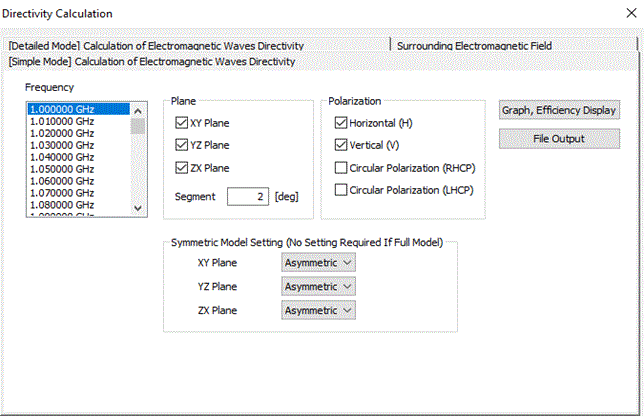
The dialog box includes the [Simple Mode] Electromagnetic Waves Directivity tab, [Detailed Mode] Electromagnetic Waves Directivity tab, and Surrounding Electromagnetic Field tab. The [Simple Mode] Electromagnetic Waves Directivity tab is explained.
-
To set units, planes, or other detailed settings, see [[Detailed Mode] Electromagnetic Waves Directivity].

|
Item |
Notes |
||||||||||||||||||||||||
|
Frequency |
Selects the frequency at which directivity is obtained. |
||||||||||||||||||||||||
|
Plane |
Selects the plane on which directivity is obtained. Multiple planes selectable.
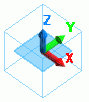
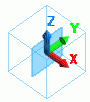
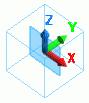
The directivity of 360 [deg] in the in-plane direction of the selected plane is obtained. The relationship between specific angles on the polar graph of directivity and the axes in the result window is shown below.
Segment The angle formed between the center line and each neighboring point determines the number of acquired points.
|
||||||||||||||||||||||||
|
Polarization |
Specifies the polarization to acquire. Multiple planes selectable.
The direction of polarization is specified against the direction of the plane above. Each polarization is shown below.
|
||||||||||||||||||||||||
|
Symmetric Model Setting |
Items required to set only for half, quarter, or other symmetric models.
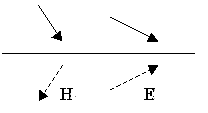
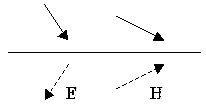
The magnetic wall and the electric wall can be symmetric boundary. The directions of the electric and magnetic fields at the symmetric boundary are shown in Fig.1. Their magnitudes are considered to be equal.on both sides of the boundary. With the results of half, quarter and 1/8 models, the partial radiation patterns are obtained. The full radiation pattern is constructed from them. The symmetric boundary is selectable from XY plane at Z=0, YZ plane at x=0, or XZ plane at y=0. Select either magnetic wall or electric wall considering the symmetric electromagnetic fields to calculate the radiation pattern. Note that the calculation time of these partial models will be similar to that of the full model, as the calculation is executed for the area where the meshes are not generated as well. The infinite ground plane is selected if the model has a large ground plane, e.g. monopole antenna. See Example 30 of Electromagnetic Analysis
|
||||||||||||||||||||||||
|
Graph, Efficiency Display |
Display the followings.
|
||||||||||||||||||||||||
|
File Output |
Output the followings in a csv file.
|
||||||||||||||||||||||||