


|
Home / How to Set Body Attribute, Material Property and Boundary Condition / Boundary Condition Tabs / Fluid Tab
Fluid Tab
Boundary conditions relating to fluid are set on this tab.
It is in the [Edit Boundary Condition] dialog box. See [How to Set Boundary Condition].
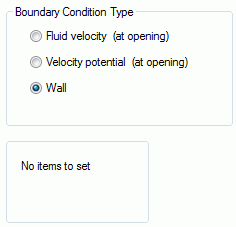
How to Define the Fluidity
There are two ways to define the fluidity to the model.
-
Specify the flow velocities at either the input openings or the output openings and specify the nil velocity potential to the other remaining openings.
-
Specify the reasonable velocity potentials to both the input and output openings.
You may enter the flow velocities to both openings, but that is not recommendable as the calculation is likely
to be inaccurate.
-
Femtet supports only the cases where the openings are perpendicular to the flow vectors.
If not perpendicular, the results might not be accurate.
|
Setting Items |
Notes |
|
Sets the fluid velocity on the face topology or the edge topology for the 2D. The flow vector is required to be perpendicular to the face or the edge. Enter the positive value for the outward flow and the negative value for the inward flow.
|
|
|
Sets the fluid velocity on the face topology or the edge topology for the 2D.
|
|
|
Wall Face |
The specified face is treated as a wall face. |