Home / Tutorial / Piezoelectric Analysis (Rayleigh) / 06.Run the Mesher and the Solver
06.Run the Mesher and the Solver
Run the solver.
Procedure
-
Set the mesh size.
On the [Model] tab, go to  , ,
and click [Analysis Condition]  . .
The [Analysis Condition Setting] dialog box will show up.
|
|
-
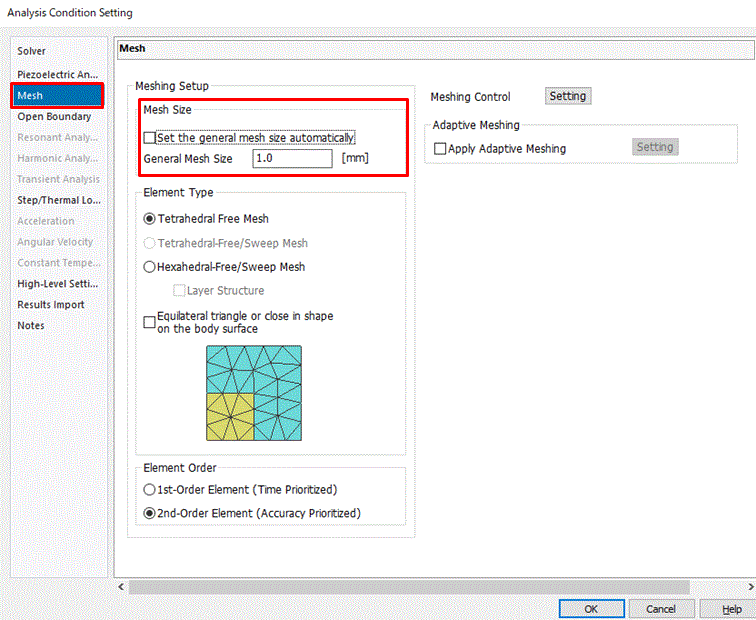
Click the [Mesh] tab.
Deselect [Set the general mesh size automatically]. Enter 1 in [General mesh size].
Click 
-
The simulation accuracy varies depending on the mesh size and other settings.
Details are described at [How to Optimize the Simulation Accuracy].
|
|
-
On the [Model] tab, go to ,
and click [Run Mesher/Solver]  . .
The calculation will start.
|
|
-
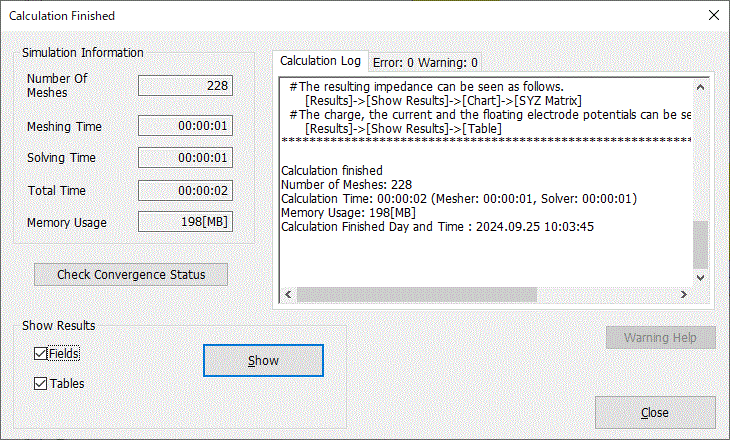
The [Calculation Finished] dialog box will show up when the calculation finishes.
Select both [Field] and [Table]
and click  . .
|
|
|
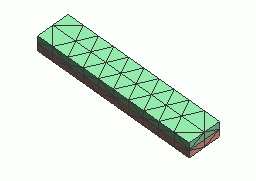
The screen will change to Results Window, and the meshing result will show up.
The table also will show up.
|
|


 Prev
Prev