Femtet Help/Manual
 

Home / Tutorial / Thermal Analysis (Watt) / 04.Set the Body Attributes and the Material Properties

00

01

02

03

04

05

06

07

08

04.Set the Body Attributes and the Material Properties

We assign names to the body attributes and the material properties. Various parameters associated with them will be set up here, too.

The body attribute
is required to be set on each body. Various specific data, such as the thickness in the 2D analysis, the width of the wire element, the coordinates for anisotropic material, can be set on the body attribute.

Body attribute is distinguished by its name. Therefore it is not allowed to assign the same name to the different body attributes.
 

Material property constitutes the body. The material data might vary depending on the simulation you try.

Material property is distinguished by its name. Therefore it is not allowed to assign the same name to the different material data.


Procedure

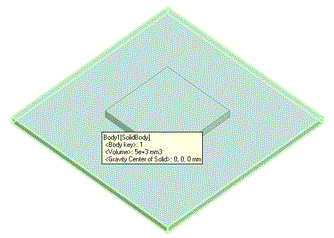
  1. Assign a name to the substrate.

    Highlight the substrate on the modeling window
    and click to select.
     

Click

Highlight


Selected


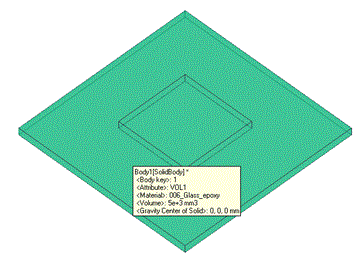
  1. On the [Attribute] context tab
    ,
    click [Body Attribute/Material Property] .


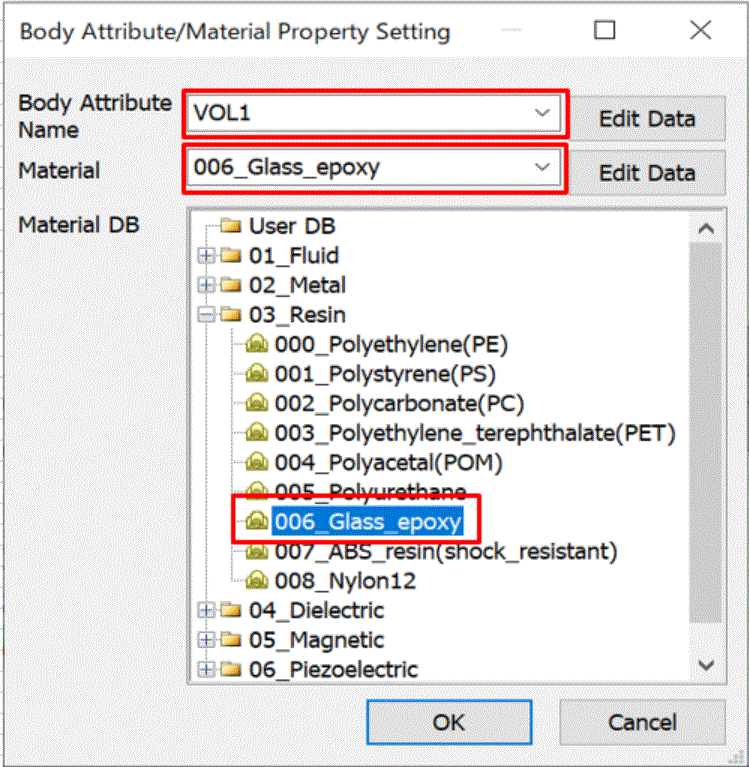
  1. In the [Body Attribute/Material Property Setting] dialog box,

    enter Body Attribute Name: VOL1

    select [03_Resin] on Material DB and select [006_Glass Epoxy]

    Then click
     

  2. Any name is acceptable.
     

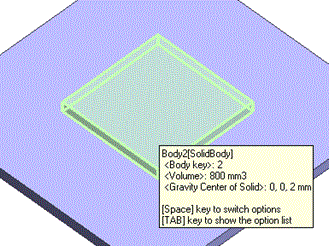
4. Assign a name to the heat source (VOL2).

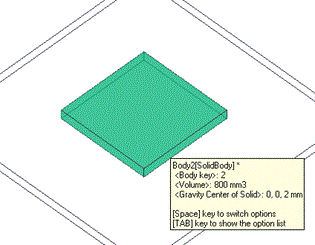
Click on the heat source on the modeling window.
 

  • To select a particular body out of several overlapping bodies, try the following methods:
     

    • Space Key Method

      Rest the mouse pointer on the overlapping area, and press the <Space> key.
      Body selection will change. The left-click will fix the selection.
       

    • List Selection Method

      Rest the mouse pointer on the overlapping area, and press the <Tab> key.
      The body selection list will appear. Select the body of your interest and left-click to fix the selection.


      For more information, see How to Select Bodies and Topologies
      where you will find "Clicking the Mouse" and "List Selection Method".


Click

Highlight


Selected


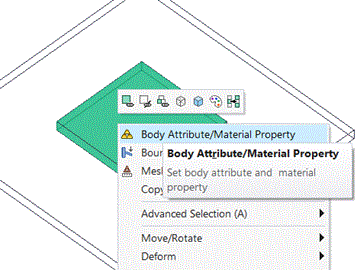
  1. On the right-click menu, click [Body Attribute/Material Property].

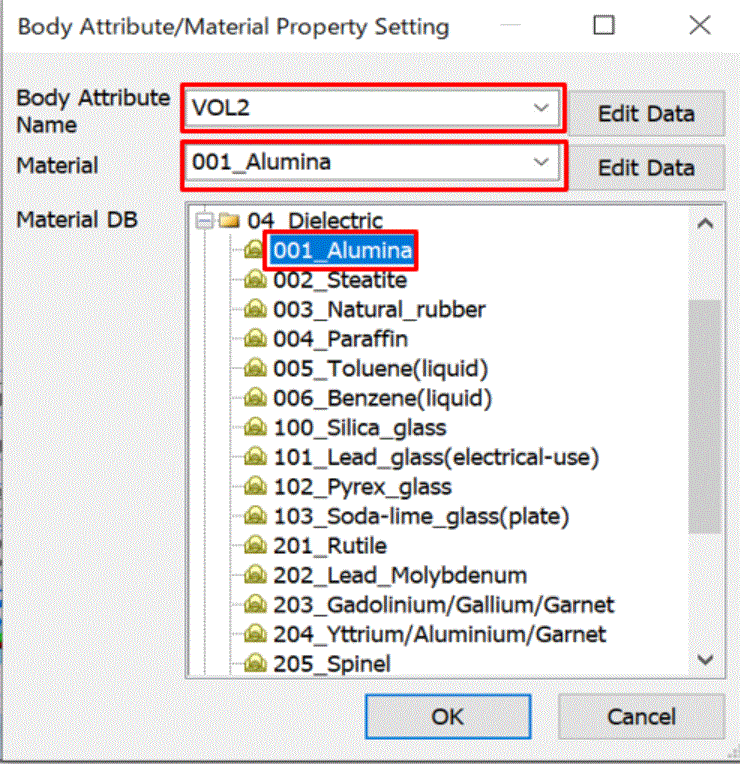
  1. In the [Body Attribute/Material Property Setting] dialog box,

    enter Body Attribute Name: VOL2,

    select [04_Dielectric Material] on Material DB and select [001_Alumina].

    Then click at the side of Body Attribute Name.
     

  2. Any name is acceptable.
     

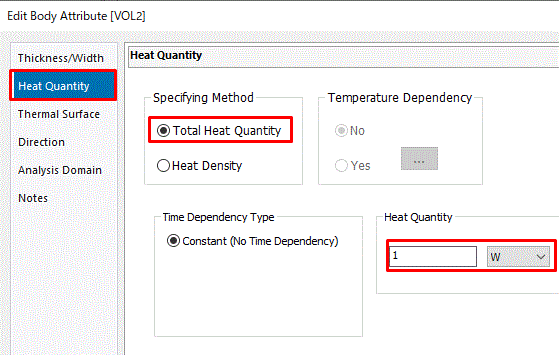
  1. In the [Edit Body Attribute [VOL2]] dialog box,

    go to the [Heat Quantity] tab,

    and enter Total Heat Quantity: 1[W]

    Click .

    Then click in the [Body Attribute/Material Property Setting] dialog box and exit.

The body attributes and the material properties have been set.


Prev Next