


|
Home / Tutorial / Thermal Analysis (Watt) / 05.Set the Boundary Conditions
05.Set the Boundary Conditions
Set the boundary conditions.
The boundary condition is required to be set on a part of the body (topology).
It varies depending on the analysis.
The boundary conditions are distinguished by name. It is not allowed to assign the same name to the different boundary conditions
Usually, the boundary condition is set with the selected topologies.
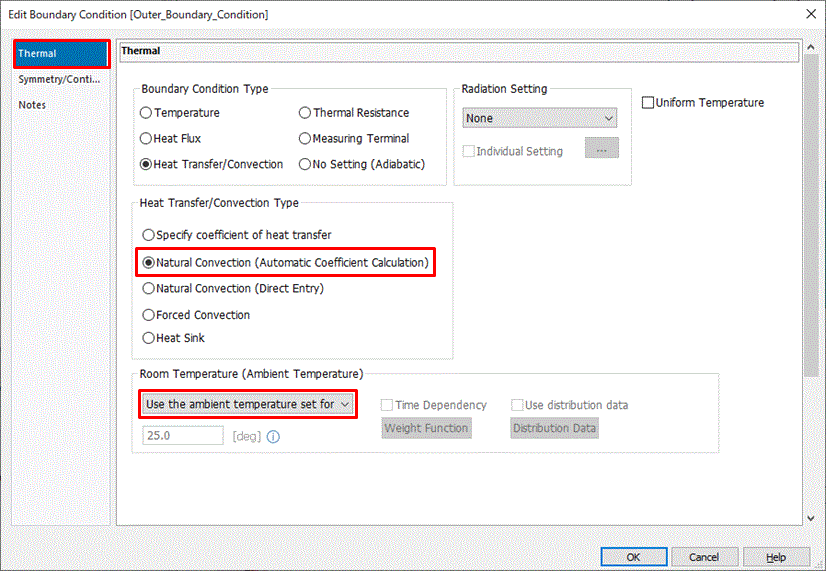
In this session, we set the boundary condition of the model surface facing the air by setting the outer boundary condition.
In the usual setting method, all outer faces of the model need to be selected for setting boundary condition whereas single procedure can set the conditions by setting the outer boundary condition.
See Outer Boundary Condition for detail.
Procedure
|
|
|
|
|
The boundary conditions have been set.
|
|
|
You can also set the boundary condition on the individual face.
|
|

 .
. .
.
 Prev
Prev