


|
Home / How to Set Analysis Condition / List of Analysis Condition Tabs / Constant Temperature Tab
Constant Temperature Tab
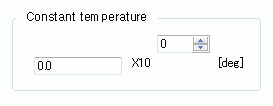
Constant temperature is set on this tab.
It is in the [Analysis Condition Setting] dialog box. See also [How to Set Analysis Condition].
|
Setting Item |
Notes |
|
|
Constant temperature |
Constant temperature |
This temperature is referred to when the material is temperature-dependent.
|
-
Resonant analysis and harmonic analysis cannot take the thermal expansion/contraction into account under the constant temperature.
With the following methods, you can take the effect of thermal expansion/contraction into account in the resonant analysis and harmonic analysis.
Method 1 Analysis with the initial stress taken into account
1. Copy an analysis model to create two models for static analysis and resonant harmonic analysis.
2. The model for the static analysis is used to analyze the thermal expansion/contraction with thermal load option.
3. The model for the resonant harmonic analysis is used to analyze the model for harmonic analysis with the initial stress taken into account.
The constant temperature is set to be the same as the reached temperature in the harmonica analysis.
See technical note Analysis with Initial Stress Taken into Account for the details.
Method 2 Create the model with the dimensions defined by the thermal expansion/contraction.
Enter the model's dimensions with variables which are defined with temperature in the equations.
Thus the dimensions will change according to the temperature.
See How to use the variables on [Variables].