Home / Tutorial / Fluid Analysis (Bernoulli) / 07.Set the Boundary Conditions
07.Set the Boundary Conditions
Set the boundary conditions.
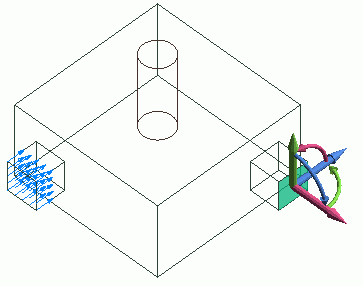
Forced inflow (flow velocity) and natural outflow are set to inlet and outlet respectively.
You need to set boundary conditions on some parts of model's body (topology).
It varies depending on the analysis.
The boundary conditions are distinguished by name. It is not allowed to assign the same name to the different boundary conditions
Procedure
-
On the [Model] tab, go to
 , ,
and select [Select Face] on the drop-down list at  . .
-
How to Switch the Object to Select
-
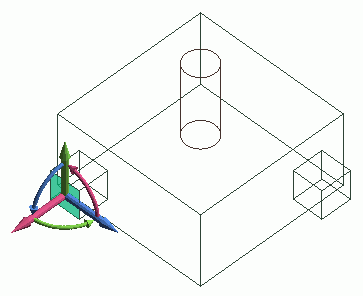
Concept of Body and Topology
|
|
-
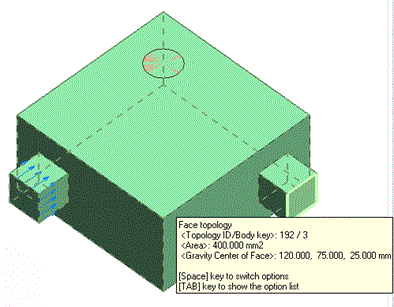
Highlight the inlet surface and click to select.
|
|
-
On the [Attribute] context tab
 , ,
click [Boundary Condition]  . .
|
|
-
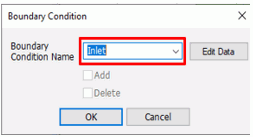
In the [Boundary Condition] dialog box, enter
[Boundary Condition Name]: Inlet
and click  . .
-
Any name is acceptable.
|
|
-
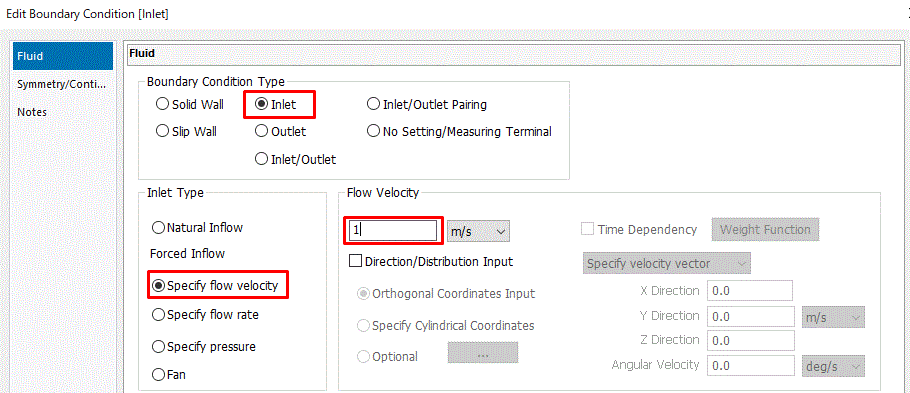
In the [Edit Boundary Condition] dialog box, apply settings so that the flow velocity becomes 1[m/s].
On the [Fluid] tab,
select [Boundary Condition Type]: Inlet,
confirm that [Inlet Type]: Specify flow velocity is selected,
enter 1 [m/s] and click  . .
Then click to exit the [Boundary Condition] dialog box.
|
|
-
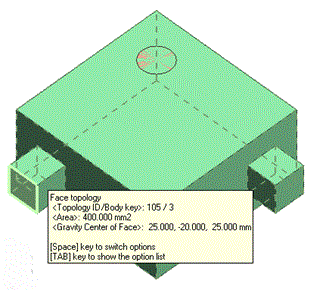
Then, highlight the outlet surface and click to select.
|
|
-
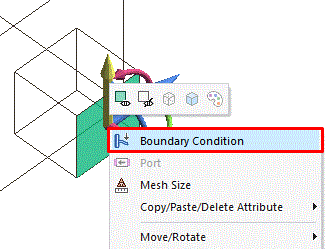
On the right-click menu, click [Boundary Condition].
|
|
-
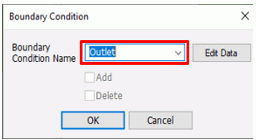
In the [Boundary Condition] dialog box, enter
[Boundary Condition Name]: Outlet
and click .
-
Any name is acceptable.
|
|
-
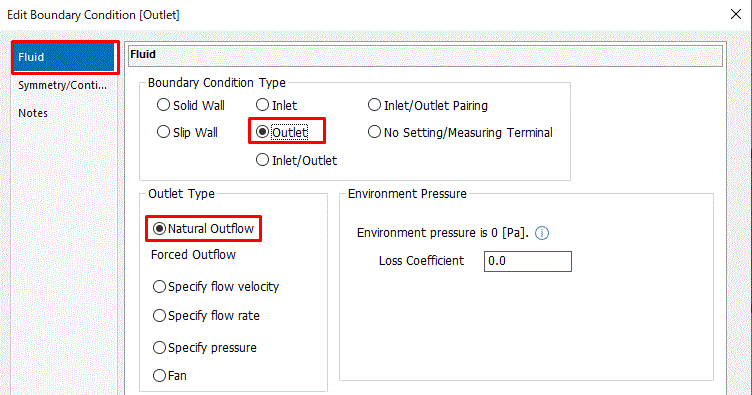
In the [Edit Boundary Condition] dialog box,
with the [Fluid] tab,
confirm that Outlet is selected for [Boundary Condition Type],
then Natural Outflow is selected for Outlet Type.
Click and exit.
|
|
|
The boundary conditions have been set.
|
|



 Prev
Prev