


|
Home / Tutorial / Electromagnetic Analysis (2D Waveguide Analysis) (Hertz) / 01.Create the New Project
01.Create a New Project
A new project is created first.
Procedure
|
|
|
|
|
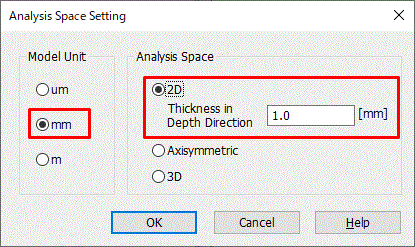
The initial setting has been done. |
|

 on the drop-down list..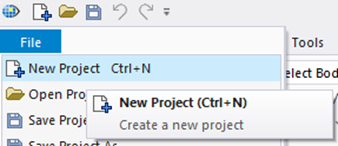

 Prev Next