Femtet Help/Manual
 

Home / Tutorial / Electromagnetic Analysis (2D Waveguide Analysis) (Hertz) / 08.View the Results

00

01

02

03

04

05

06

07

08

09

08.View the Results

The calculation results are available in various formats.
Let's see the field vectors, and some graphs and charts.

  • There might be slight differences in results depending on the Femtet version or the PC you use.

Procedure

  1. Let's see the electric field vectors.

    On the [Results]
    tab, go to


    and click [Element Vector] .

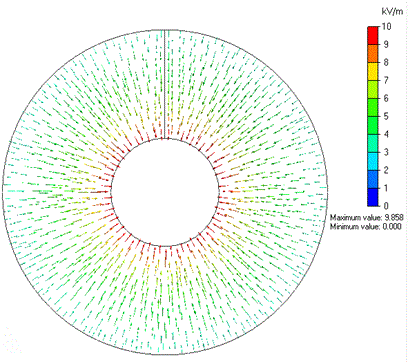
    The electric field vectors will show up.


The Vectors of Electric Field

  1. Let's see the magnetic field vectors

    With [Element Vector]
    activated,

    go to the [Results] tab


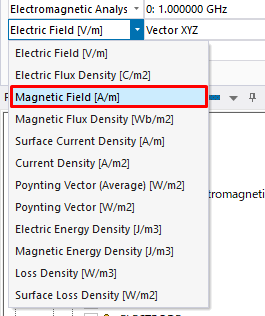
    and select Magnetic field[A/m] on the drop-down list at Field .


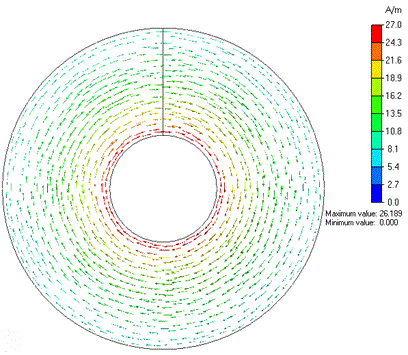
  1. The magnetic field vectors will show up.
     

The Vectors of Magnetic Field


  • To modify the shape of vectors,
    on the [Results] tab, go to


    and click [Graphics Setup] .

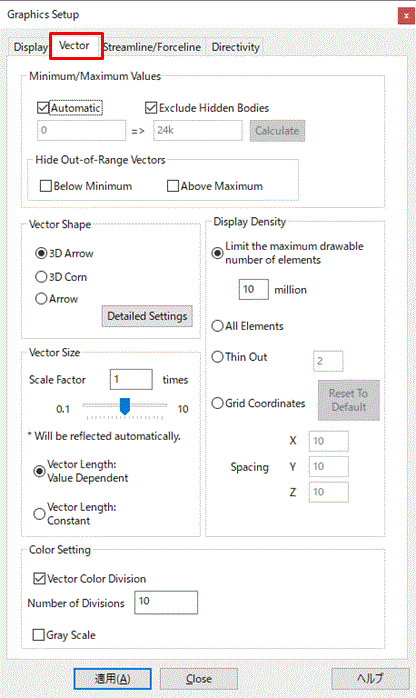
    In the [Graphics Setup]
    dialog box,

    select the [Vector] tab,

    and modify the magnitude and the shape of vectors.
     

The Vector tab is explained here
 

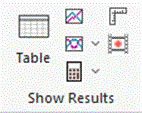
  • The contour and vector values of a particular point can be obtained

    by specifying the coordinates.

    On the [Results]
    tab, go to

    ,

    and click [Results at Specified Coordinates] .


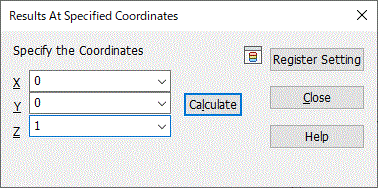
The [Results at Specified Coordinates] dialog box will show up.

Enter the coordinates of your interest and click the [Calculate] button.
 

Results at specified coordinates are explained here


The contour and vector values for the currently chosen field will be shown on Output Window.


Prev Next