Femtet Help/Manual
 

Home / Tutorial / Fluid Analysis_2 (Bernoulli, Diffusion Analysis: Automatic Internal Fluid Creation) / 03. Unite Two Pipes to Form T-Shaped Pipe

00

01

02

03

04

05

06

07

08

09

10

11

03. Unite Two Pipes to Form T-Shaped Pipe

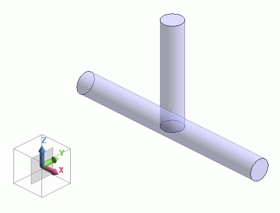
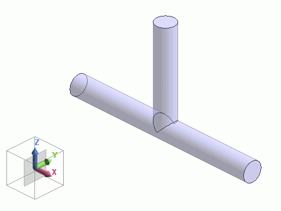
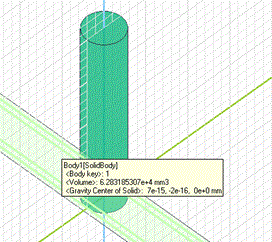
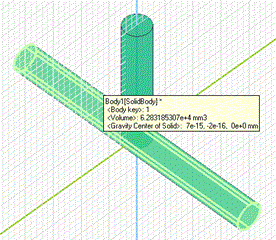
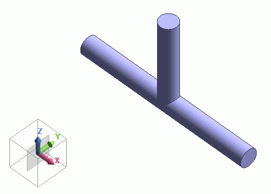
Unite two pipes (cylinder)


Before


After

Translucency is enabled above for display.

Click [Translucency] on the [View] tab to enable the translucency.

Procedure

  1. On the [Model] tab, go to

    ,

    and click [Unite (Boolean)] .


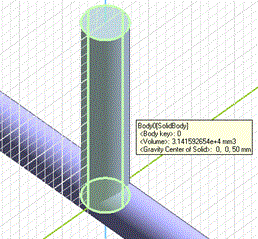
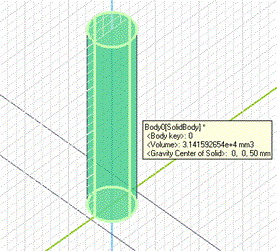
  1. Highlight the vertically oriented pipe (cylinder) on the modeling window and click to select.


  • To select a particular body out of several overlapping bodies, try the following methods:


    • Space Key Method

      Rest the mouse pointer on the overlapping area, and press the <Space> key.
      The body selection will change. The left-click will fix the selection.
       

    • List Selection Method

      Rest the mouse pointer on the overlapping area, and press the <Tab> key.
      The body selection list will appear. Select the body of your interest and left-click to fix the selection.


For more details, refer to How to Select Body and Topology where you will find
"Clicking the Mouse" and
"List Selection Method".


Click

Highlight


Selected

  1. Also highlight the horizontal pipe (cylinder) while pressing the <Ctrl> key and click to select.


  2. The Unite operation is not affected by the order of body selection.


Click

Highlight


Selected

  1. Click in the [Unite (Boolean)] dialog box.


Two pipes (cylinder) have been united.


Prev Next