Home / Tutorial / Fluid Analysis_2 (Bernoulli, Diffusion Analysis: Automatic Internal Fluid Creation) / 04. Hollow out Inside of T-Shaped Pipe.
04. Hollow out the inside of the T-shaped pipe.
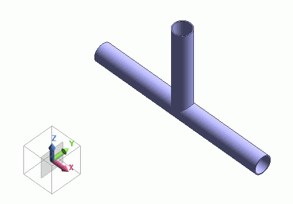
Hollow out the T-shaped pipe by shell process.
|
|

|
|
|
Before the shell process (hollowing out) |
|
After the shell process (hollowing out) |
Procedure
-
On the [Model] tab, go to  and click ▼ at the side of and click ▼ at the side of  . Then click [Shell] . Then click [Shell]  on the submenu. on the submenu.
|
|
|
-
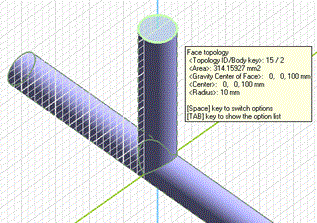
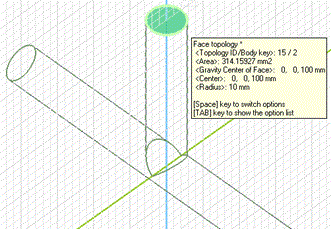
Highlight the vertically oriented pipe (cylinder) on the and click to select.
|
 |
Click |
 |
|
Highlighted |
|
Selected |
|
|
-
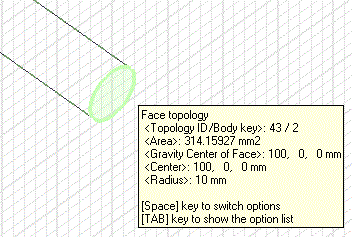
Next, highlight the right face of the horizontally oriented pipe and click to select.
|
 |
Click |
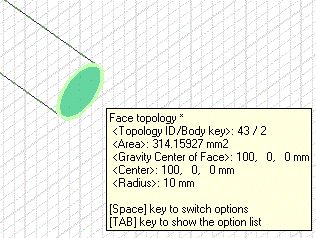 |
|
Highlighted |
|
Selected |
|
|
-
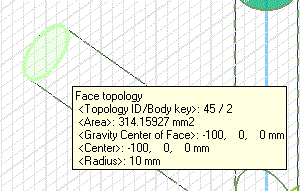
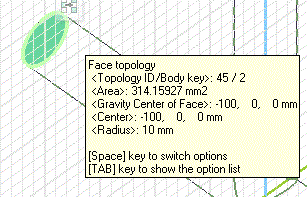
Then, highlight the left face of the horizontally oriented pipe and click to select.
-
-
Space Key Method
Rest the mouse pointer on the overlapping area, and press the <Space> key.
The body selection will change. The left-click will fix the selection.
-
List Selection Method
Rest the mouse pointer on the overlapping area, and press the <Tab> key.
The body selection list will appear. Select the body of your interest and left-click to fix the selection.
For more details, refer to How to Select Body and Topology where you will find
"Clicking the Mouse" and
"List Selection Method".
|
|
-
Click  in the [Shell] dialog box. in the [Shell] dialog box.
|
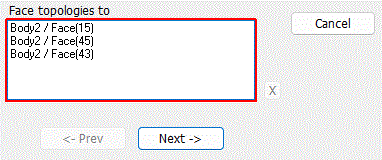
|
-
Set the thickness.
In the parameter input box, enter Thickness: 1, and click  . .
|
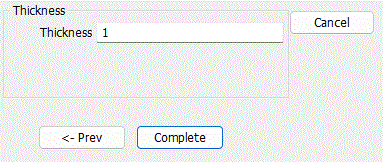 |
|
The inside of the T-shaped pipe has been hollowed out. |
|


 Prev Next