Home / Tutorial / Electromagnetic Analysis (3D Harmonic Analysis) (Hertz) / 06.Set the Analysis Conditions
06.Set the Analysis Conditions
We set the analysis conditions.
Procedure
-
On the [Model] tab, go to
 , ,
and click [Analysis Condition]  . .
The [Analysis Condition Setting] dialog will show up.
|
|
-
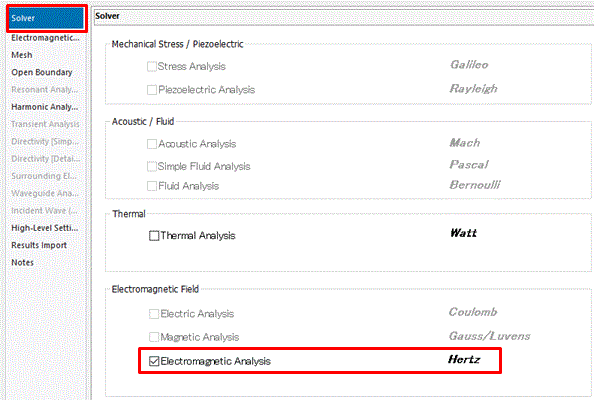
On the [Solver] tab,
select [Electromagnetic Analysis 'Hertz']
|
|
-
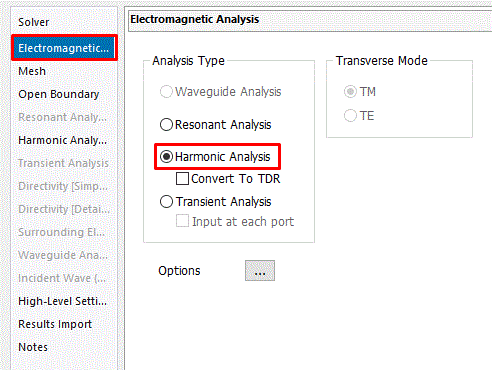
Go to the [Electromagnetic Analysis] tab.
Confirm that the [Analysis Type] is [Harmonic analysis].
|
|
-
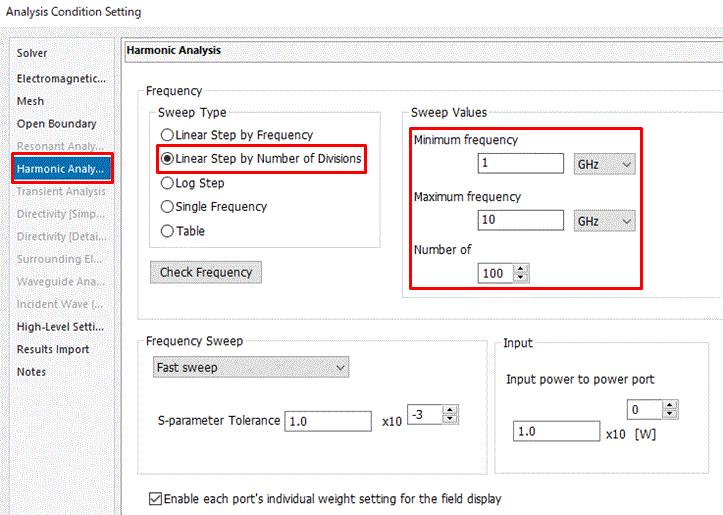
On the [Harmonics Analysis] tab, select or enter the following parameters:
Sweep Type: Linear Step by Number of Divisions
Minimum Frequency: 1 [GHz]
Maximum Frequency: 10 [GHz]
Number of Divisions: 100
|
|
-
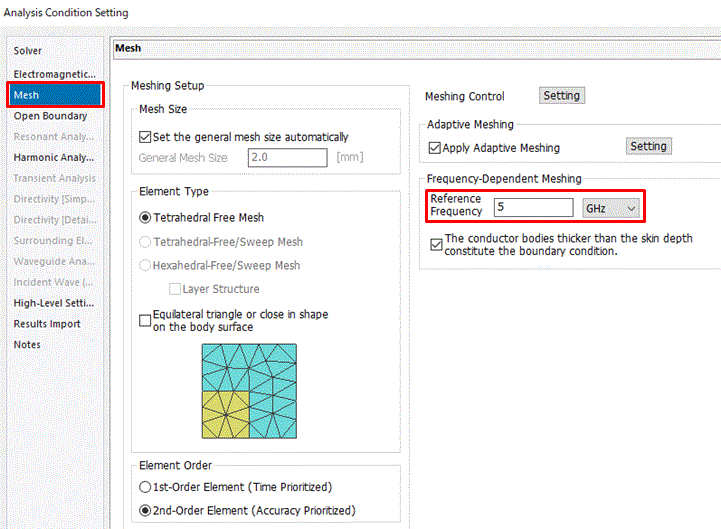
Click the [Mesh] tab.
To set the reference frequency at 5 [GHz], enter
Reference Frequency: 5 [GHz]
Click  . .
-
The general mesh size for this model is automatically determined.
Its size is one tenth of the model size.
-
Tips on the mesh size
-
Mesh size should be less than one sixth of the analysis frequency.
-
Set the reference frequency to the one you are most interested in.
-
If you want to reduce the calculation time, refer to .
-
The simulation accuracy varies depending on the mesh size and other settings.
Details are described at [How to Optimize the Simulation Accuracy].
|
|
|
The analysis conditions have been set. |
|


 Prev
Prev