Home / Tutorial / Magnetic Analysis (Luvens, Transient Analysis of Motor) / 06.Complete the Stator
06.Complete the Stator
Modify the bodies to complete the stator.
Procedure
-
Ring copy the coil and stator.
On the [Model] tab, go to

and click ▼ at the side of [ Copy]. Copy].
Then click [Ring Copy] on the submenu. on the submenu.
(Alternatively, right-click the mouse. On the appearing menu, select [Copy]-[Ring])
|
|
-
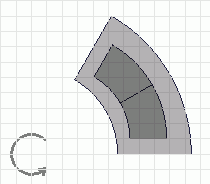
Select the the coil and stator bodies.
Select all bodies by dragging the mouse pointer with left-click.
|
|
-
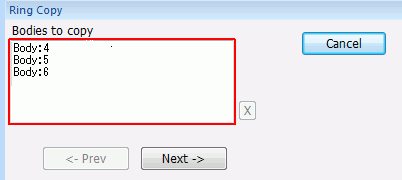
Click  in the parameter input dialog box. in the parameter input dialog box.
|
|
-
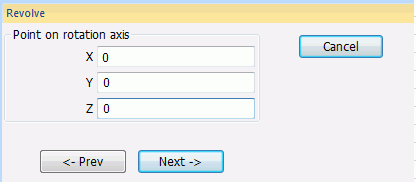
Enter Point on Rotation Axis (X: 0, Y: 0, Z: 0) and click .
|
|
-
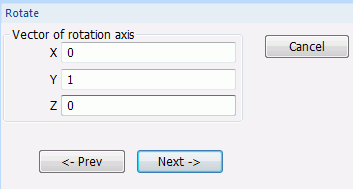
Enter Direction Vector of Rotation Axis (X: 0, Y: 1, Z: 0) and click .
|
|
-
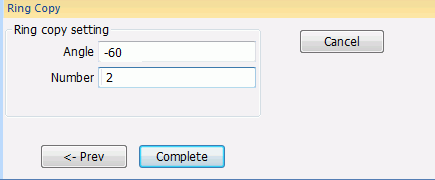
In the parameter input dialog box, enter Angle: -60, Number: 2 and click  . .
|
|
-
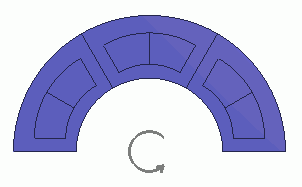
The stator has been created.
Show the hidden rotor.
On the [Model] tab, go to
and click [Show All]  . .
|
|
|
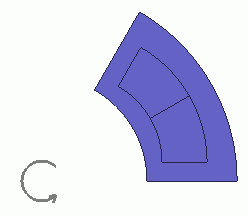
All bodies have been created.
|
|



 Prev Next