Names are assigned to the body attributes and the material properties for the stator core, rotor core, and magnet. Various parameters associated with them will be set up here, too.
-
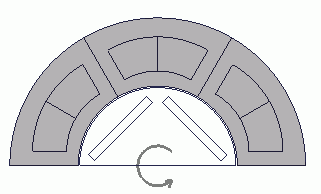
Stator core is set up the same way as in the previous session.
Click three bodies of the stator core while pressing the <Ctrl> key.
On the right-click menu, click [Body Attribute/Material Property].
|
 |
-
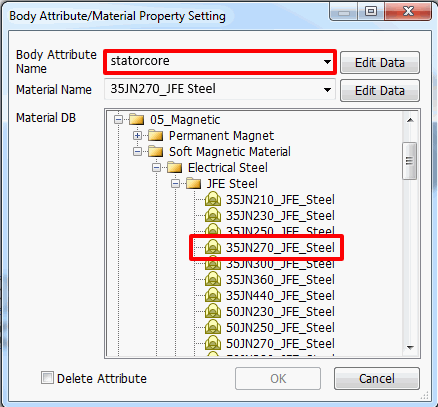
In the [Body Attribute/Material Property Setting] dialog box,
enter Body Attribute Name: statorcore
go to Material DB > 05_Magnetic Material > Soft Magnetic Material > Electrical steel sheet > JFE Ferrite, click 35JN270.
|
|
-
Click  in the [Body Attribute/Material Property Setting] dialog box. in the [Body Attribute/Material Property Setting] dialog box.
|
|
-
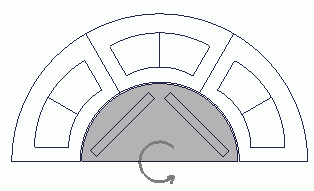
Rotor core is set as follows.
Click the stator core and right-click the mouse. On the right-click menu, click [Body Attribute/Material Property].
|
|
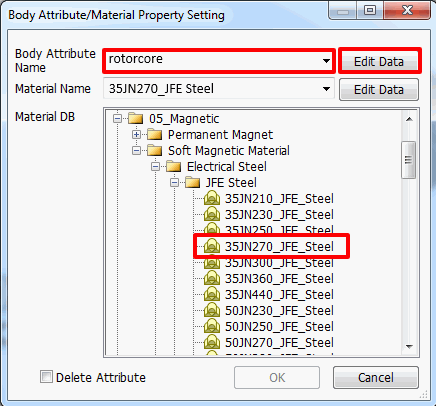
- In the [Body Attribute/Material Property Setting] dialog box,
enter Body Attribute Name: rotorcore
go to Material DB > 05_Magnetic Material > Soft Magnetic Material > Electrical steel sheet > JFE Ferrite, click 35JN270.
And click  for Body Attribute Name. for Body Attribute Name.
|
|
-
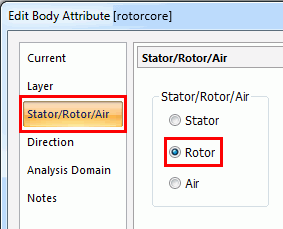
In the [Edit Body Attribute [rotorcore]] dialog box, go to the [Stator/Rotor/Air] tab. Set as follows and click .
Stator/Rotor/Air: Rotor
|
|
-
Click in the [Body Attribute/Material Property Setting] dialog box.
|
|
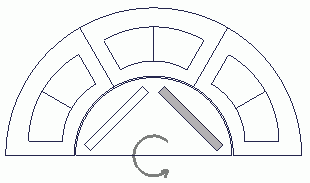
- Next, the magnet is set as follows.
Click the magnet on the right side. On the right-click menu, click [Body Attribute/Material Property].
|
|
-
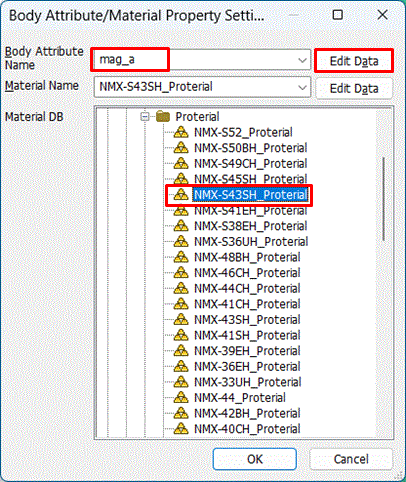
In the [Body Attribute/Material Property Setting] dialog box,
enter Body Attribute Name: mag_a,
go to material DB > 05_Magnetic Material > Permanent Magnet > Proterial, and click NMX-S43SH.
And click for Body Attribute Name.
|
|
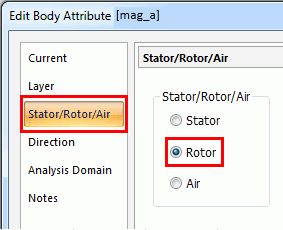
- In the [Edit Body Attribute [mag_a] dialog box, go to the [Stator/Rotor/Air] tab. Set as follows.
Stator/Rotor/Air: Rotor
|
|
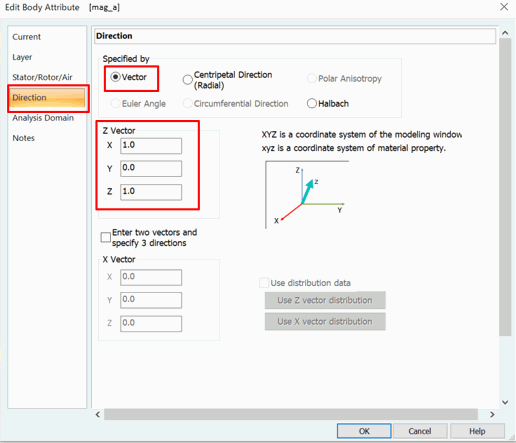
- In the [Edit Body Attribute [mag_a] dialog box, go to the [Direction] tab. Set as follows and click .
Direction Type: Vector
X: 1
Y: 0
Z: 1
|
|
- Click in the [Body Attribute/Material Property Setting] dialog box.
|
|
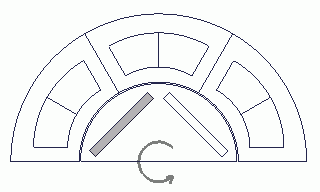
- Next, click the left magnet. On the right click-menu, click [Body Attribute/Material Property Setting].
|
|
-
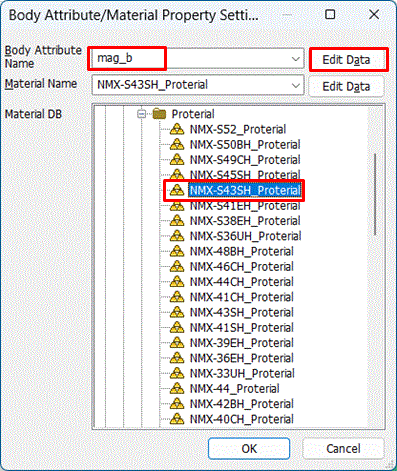
In the [Body Attribute/Material Property Setting] dialog box,
enter Body Attribute Name: mag_b,
go to material DB > 05_Magnetic Material > Permanent Magnet > Proterial, and click NMX-S43SH.
And click for Body Attribute Name.
|
|
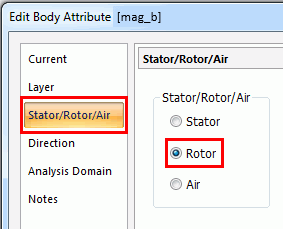
- In the [Edit Body Attribute [mag_b] dialog box, go to the [Stator/Rotor/Air] tab. Set as follows.
Stator/Rotor/Air: Rotor
|
|
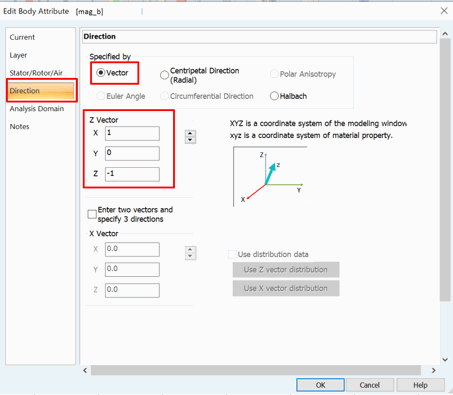
- In the [Edit Body Attribute [mag_b] dialog box, go to the [Direction] tab. Set as follows and click .
Direction Type: Vector
X: 1
Y: 0
Z: -1
|
|
- Click in the [Body Attribute/Material Property Setting] dialog box.
|
|
|
The body attributes and the material properties have been set.
|
|


 Prev Next