Femtet Help/Manual
 

Home / Tutorial / Modeling / 21.Create the Display

00

01

02

03

04

05

06

07

08

09

10

11

12

13

14

15

16

17

18

19

20

21

22

23

21.Create a Display

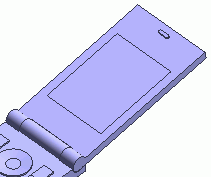
A rectangle is created as a display.


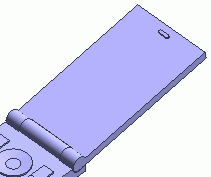
Before


After


Procedure

  1. On the [Model] tab, go to , click [Solid], and select [Box [Specify Length]] on the submenu.


  1. Designate the startpoint.

    In the parameter input dialog box, enter Startpoint (X: 5, Y: 116, Z: 12.7) and click .


  1. Set the width.

    Enter Width: 40 and click .


  1. Set the depth.

    Enter Depth: 53 and click .


  1. Set the height.

    Enter Height: 0.5 and click .


  1. Click in the parameter input dialog box and exit.
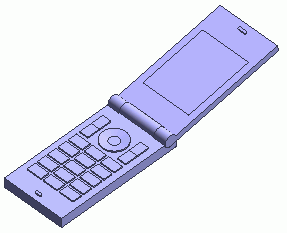


The display is now ready.

Prev Next